cropper
The Project Controls Daily
  • Home
  • Categories
    • Cost Management
    • Schedule Management
    • Risk Management
    • Technology & Software
    • Certification & Career Development
    • ESG & Sustainable projects
    • Best Practices & Case Studies
    • Regulatory & Compliance
    • Leadership & Management
    • News & Trends
November 14.2026
3 Minutes Read

Unlocking the Benefits of Oracle Primavera Cloud for Project Managers

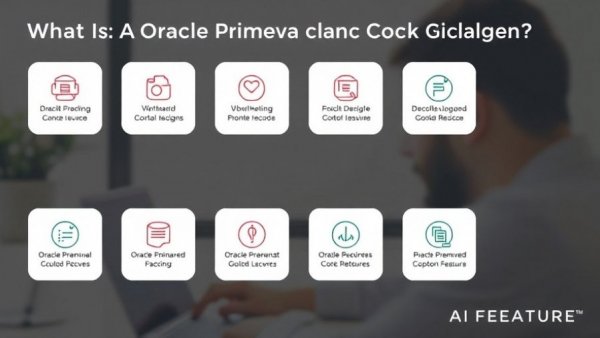
What Is Oracle Primavera Cloud (OPC)? Features 2026 Guide

Understanding Oracle Primavera Cloud: A Game-Changer for Project Management

Oracle Primavera Cloud (OPC) has evolved significantly since its introduction, markedly enhancing project management capabilities for a diverse array of professionals. Initially introduced in 2015, OPC is no longer just a rebranding of existing Primavera applications; it has transformed into an innovative platform that bridges the gap between office and field teams, streamlining project controls and scheduling in ways that were once merely aspirational.

What Makes Oracle Primavera Cloud Unique?

Today, OPC stands out in the project management landscape as a Software as a Service (SaaS) solution that allows teams to construct, update, and manage Critical Path Method (CPM) schedules entirely online. This versatility enables users to handle essential project control functions from any device, eliminating dependency on physical servers and extensive software installations.

Key Features Driving Project Success

OPC is equipped with an impressive range of features:

  • Efficient Scheduling: Build comprehensive CPM schedules with Work Breakdown Structures (WBS), calendar integrations, and customizable constraints to optimize planning.
  • Resource Management: Assign resources effectively, monitor allocation load, and quickly identify thread risks pertaining to overallocations.
  • Portfolio and Budget Planning: Group and manage projects with streamlined budget planning, allowing easier analysis of funding sources.
  • Risk Analysis: Use Monte Carlo simulations to assess and visualize risks that could derail project timelines.
  • Integrated Reporting: Generate insightful reports and dashboards that provide real-time updates and diagrams, helping teams stay informed.
  • Mobile Accessibility: The OPC mobile application lets users update tasks while in the field, which is crucial for streamlined communication and collaboration.
  • System Integration: Using Oracle’s Project Integration Framework, the platform seamlessly connects with other tools like P6 and Aconex, enhancing efficiency.

This holistic approach to project management not only increases productivity but also empowers teams to make data-driven decisions.

The Transition from Primavera P6 to OPC

For those familiar with Primavera P6, it's essential to recognize that while many fundamental concepts remain consistent, some terminologies and structures have transformed. Oracle’s migration guide helps clarify these shifts, ensuring that existing P6 users can transition smoothly into the OPC environment. Understanding these shifts is essential for project control managers, schedulers, and other professionals who may need to pivot their workflows and habits.

The Benefits of Embracing Cloud Technology

The transition to a cloud-based platform like OPC can be daunting, particularly for seasoned professionals accustomed to traditional systems. However, the advantages are compelling and include:

  • Accessibility: Teams can collaborate and update projects from anywhere with an internet connection, facilitating flexible work environments.
  • Lower IT Overhead: Businesses can save on hardware and maintenance costs, instead relying on Oracle's support to handle updates and system improvements.
  • Scalability: As project demands grow, organizations can scale their usage without prohibitive costs associated with physical capacity growth.
  • Continuous Improvement: With regular ongoing releases from Oracle, users benefit from the latest updates and features without needing to plan upgrades.

The embrace of cloud technology is transforming the landscape of project management, making it imperative to stay abreast of these advancements.

Preparing for the Future: What Lies Ahead?

As questions arise about whether OPC will fully replace P6, many professionals find themselves at a crossroads. Currently, Oracle's strategies suggest a commitment to both platforms, but the direction could evolve based on user feedback and technological trends. Project control managers and engineers must adapt and expand their skill set to encompass this emerging technology. By doing so, they not only future-proof their careers but also ensure organizational resilience.

Conclusion: Knowledge is Power

Incorporating tools like Oracle Primavera Cloud into project control workflows presents both a challenge and an opportunity. As more organizations recognize the need for enhanced project management technologies, understanding OPC's capabilities will be essential to making informed decisions. For project control professionals, this knowledge is not just beneficial; it might be the key to maintaining a competitive advantage in the industry.
Schedule Management

11 Views

0 Comments

Write A Comment

*
*
Please complete the captcha to submit your comment.
Related Posts All Posts
08.14.2026

Mastering Project Control: Finding Near-Critical Path Activities in Primavera P6

Update Understanding Near-Critical Path Activities in Project Management When managing large-scale projects, identifying and understanding activity progress is crucial. One area of focus is finding near-critical path activities, which are tasks that, while not on the critical path, are close to it and could affect overall project timelines if there are delays. In recent discussions highlighted in the video "How to Find Near-to-Critical Path Activities in Primavera P6," project control experts emphasize how Primavera P6's latest advancements allow professionals to better track these essential activities.In "How to Find Near-to-Critical Path Activities in Primavera P6," the discussion dives into the tools that help identify these activities, sparking a deeper analysis of how they impact project timelines. The Importance of Near-Critical Path Activities Near-critical path activities, although they are not critical tasks, hold significant importance in project management. If any of these tasks encounter delays, they can directly influence the project's timeline, potentially pushing critical deadlines. By identifying them, project control managers can take preemptive action to mitigate risks associated with these tasks, ensuring smoother project execution. How Primavera P6 Makes It Easier Primavera P6, a robust project management software, has introduced tools that streamline the process of identifying near-critical path activities. As pointed out in the video, after version 22, users can easily filter and analyze their project schedules. This includes the ability to view backward activities critical to the project’s milestones, allowing managers to focus on essential deliverables such as completion targets. Steps to Identify Near-Critical Path Activities Utilizing the activity critical path feature in Primavera P6 is straightforward. First, ensure your project includes milestone lists. From there, select a milestone of importance (like final completion) and utilize the show backward activity critical path feature. This will present tasks that may not appear on the traditional critical path but still possess minimal total float, marking them as near-critical. This methodology allows project managers to stay alert to potential delays that could arise from seemingly non-critical tasks. Building a Robust Activity Code System In the video, the presenter also discusses the value of having a well-structured activity code system, such as Plan A for the critical activities and Plan B for near-critical activities. An organized activity code helps in filtering and managing tasks effectively. For instance, by applying a code for near-critical paths, managers can get a clearer picture of their project’s health and prioritize effectively. Visual Representation for Better Management In order to grab a comprehensive understanding and visually represent near-critical activities, users of Primavera P6 are encouraged to take advantage of the group and sort functions. By adjusting the display of tasks to reflect pertinent activity codes, project managers can quickly access and analyze the most pressing issues in their project timelines. This approach not only enhances communication between teams but also leads to structured decisions based on visual data. Future Trends in Project Management As projects increase in complexity and teams rely more heavily on technology, being proactive about managing near-critical path activities will become paramount. With continued advancements in project management software like Primavera P6, there is a significant potential for teams to better predict and mitigate risks before they impact the schedule. Emphasizing the monitoring of near-critical activities not only affects project efficiency but aligns with greater industry shifts toward data-driven decision-making. Conclusion: Maximizing Efficiency in Your Projects Staying ahead of potential delays by recognizing near-critical path activities is essential for project managers. By leveraging the tools available in Primavera P6 and building a structured activity code system, professionals can ensure successful project delivery. For those looking to improve their project management skills and understanding, continuous education through resources like online courses or community practices is invaluable. Stay informed and engaged to remain competitive in this dynamic field.

06.30.2026

Unlocking Project Success: How to Create a Variance Report in Primavera P6

Update Understanding Variance Reports in Project ManagementIn the realm of project management, especially within fields like construction and engineering, variance reports hold critical importance. These reports help project control managers, cost engineers, and schedulers identify where a project deviates from its planned schedule or budget. Understanding how to create and utilize a variance report can empower project teams to handle changes and delays more effectively.In the video How to Create a Variance Report in Primavera P6 | Interactive Dashboard, the importance of effective reporting in project management is highlighted, prompting us to delve deeper into variance reports and their implications in the industry. What is a Variance Report?A variance report is a tool used to analyze discrepancies between the actual progress of a project and its planned progress. It provides insights into project performance, such as delays and budget overruns, helping decision-makers quickly identify issues that need immediate attention.The Importance of an Interactive DashboardWith the advancement of project management technology, the integration of interactive dashboards has revolutionized how variance reports are presented and analyzed. These dashboards allow for dynamic updates, meaning users can see real-time data reflecting the current project status. As delays or changes occur, the data on the dashboard adjusts automatically, providing a clear view of the issue at hand and allowing for timely intervention.Creating a Customized Variance Report TemplateAs highlighted in the video How to Create a Variance Report in Primavera P6 | Interactive Dashboard, creating your own variance report template tailored to your specific project needs is key. This involves breaking down your data into categories such as work packages, activity codes, and areas of focus. By slicing and dicing the information effectively, project teams can view data at both summary and detailed levels, choosing which approach is best depending on the situation.Benefits of a Variance ReportHaving a robust variance report template offers several benefits, including:Improved Risk Management: By regularly assessing variances, project teams can foresee potential risks, enabling them to implement mitigation strategies proactively.Enhanced Decision Making: Timely access to accurate project data helps project managers make informed decisions quickly.Clear Communication: Sharing variance reports fosters transparency among stakeholders, ensuring everyone is on the same page regarding project performance.Actionable Insights: How to Implement Variance Reporting EffectivelyFor those in project management roles, implementing an effective variance reporting system can seem daunting, but breaking it down into actionable steps can simplify the process:Define Key Performance Indicators (KPIs): Determine what metrics are critical for your project success.Select the Right Tools: Use software like Primavera P6 to design your variance report based on real-time project data.Customize Your Template: Tailor the reporting template to include relevant categories for your project.Review and Analyze Regularly: Establish a schedule for regular reviews of the variance report and make adjustments as needed.Train Your Team: Ensure that all stakeholders are educated on how to interpret the reports effectively.ConclusionAs project management methodologies evolve, the importance of detailed and accurate reporting continues to grow. Understanding how to create and utilize a variance report in tools like Primavera P6 not only enhances project visibility but also equips teams to tackle issues before they escalate. If you wish to stay at the forefront of project management best practices, immersing yourself in resources such as the How to Create a Variance Report in Primavera P6 video series is essential for career development.

06.14.2026

Unlocking Project Efficiency: Mastering Primavera P6 Fill Down Feature

Update Streamlining Project Management with Primavera P6 In the world of project management, efficiency is paramount. For project control managers, cost engineers, and schedulers, the ability to quickly enter and duplicate data can significantly enhance productivity. Primavera P6, a leading project management software, offers various tools, one of which is the Fill Down feature. This tool allows users to replicate cell values quickly across multiple rows, saving time and reducing the potential for errors. The Challenge with Copying and Pasting Many users transitioning from traditional spreadsheet software like Excel to Primavera P6 quickly discover that the copy-and-paste function does not work the same way. For instance, attempting to copy a project status and paste it down a column may result in unexpected behaviors—like attempting to copy an entire project rather than just the target cell value. Such frustrations can lead novice users to manually enter data, a time-consuming task that can easily spiral out of control. The solution lies in leveraging the dedicated Fill Down feature in P6, which can effortlessly propagate values to multiple cells with accuracy. Understanding How to Use the Fill Down Feature Implementing the Fill Down feature starts with basic functionality. By selecting the cell you want to replicate and dragging your cursor to the cells below it, you can streamline your data entry process. For example, when needing to fill a column for project status across multiple projects, simply highlight the first cell and then the targeted range before triggering the Fill Down function from the right-click menu. This action ensures consistency without requiring tedious re-entries. Advantages of Utilizing Fill Down The advantages of using the Fill Down feature extend beyond mere efficiency; it provides a means to enhance data accuracy and consistency across reports and analysis. Users become more agile, quickly adapting their schedules without compromising the integrity of the project data. This feature is invaluable for project managers who must frequently monitor and adjust timelines and resource allocations based on changing project demands. Broader Applications in Primavera P6 Primavera P6 is equipped to handle more than just project status updates. From duplicating rate types to shifting activity duration types, the Fill Down function can be applied to various contexts within the software. As users gain familiarity with these functionalities, they unlock a deeper understanding of how to maximize the software's capabilities, ultimately leading to better project outcomes. Common Misconceptions about Fill Functions While the Fill Down feature is a straightforward tool, misconceptions about its functionalities often surface. Some users may think it only applies to simple tasks or specific types of data. In reality, it is applicable across different project views and various data types—from tasks and activities to rates and dependencies. Embracing this tool can change the way project managers interact with their data, fostering a culture of efficiency and decisiveness. A Bright Future for Project Management Software The integration of tools like Fill Down into project management software points to a growing trend towards automation and user-friendliness. Future enhancements in software capabilities will likely continue to minimize manual data entry and facilitate greater focus on strategic planning rather than administrative tasks. As project management challenges evolve, embracing these technological advancements will be crucial for maintaining competitive advantage. Get Started with Fill Down! For professionals in project control and related fields, mastering the Fill Down feature in Primavera P6 is essential for optimizing workflow and ensuring accurate project management. Take time to familiarize yourself with this tool and watch how your efficiency levels increase. Imagine the impact of having more time to focus on strategic initiatives rather than mundane data entry tasks. Start implementing Fill Down today and elevate your project management experience!

WorldPulse News

Write a small description of your business and the core features and benefits of your products.

COMPANY

  • Privacy Policy
  • Terms of Use
  • Advertise
  • Contact Us
  • Menu 5
  • Menu 6

864 535 6456

AVAILABLE FROM 8AM - 5PM

City, State

, ,

ABOUT US

Write a small description of your business and the core features and benefits of your products.

© 2026 CompanyName All Rights Reserved. Address . Contact Us . Terms of Service . Privacy Policy

Terms of Service

Privacy Policy

Core Modal Title

Sorry, no results found

You Might Find These Articles Interesting

T
Please Check Your Email
We Will Be Following Up Shortly
*
*
*